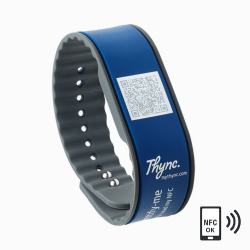
Ready to use in three steps
Order product here
Order today, get your product in 1-3 days
Create a free account
Scan the QR code and enter your details.
No app required.
Let's go
Friendly people scan the QR code and instantly see your information.
Order today, get your product in 1-3 days
Scan the QR code and enter your details.
No app required.
Friendly people scan the QR code and instantly see your information.
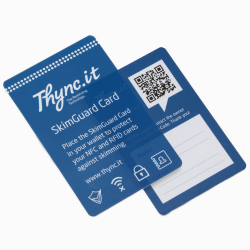
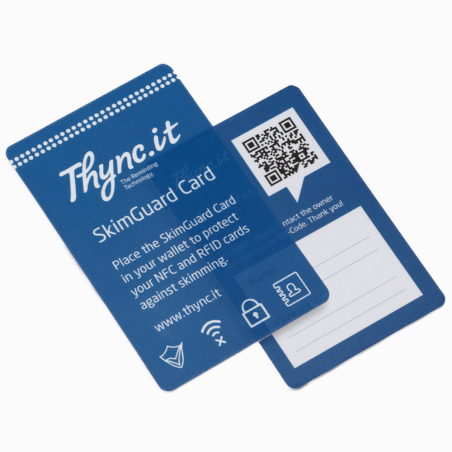
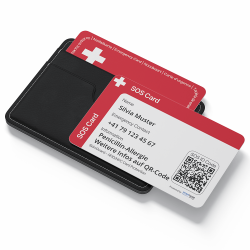
SkimGuard card with integrated QR code – protection against skimming and enhanced personal safety
The SkimGuard card reliably protects bank and credit cards from unauthorized contactless skimming attacks inside your wallet. At the same time, the integrated QR code provides quick access to important contact and emergency information – no app required.
Protection against contactless skimming of payment cards
Prevents fraudulent transactions inside your wallet
Integrated QR code with important functions for identification
Instant access to emergency and contact information
No monthly fees
No app required · No electronics
Secure data storage in Swiss data centers
A smart essential for every wallet.
The SkimGuard card is designed to help reduce unauthorized contactless reading of bank and credit cards stored in a wallet. Its special shielding material limits communication between contactless card chips and external reading devices. As a result, unintended contactless interactions may be prevented. A single SkimGuard card can help protect multiple contactless cards carried together.
In ddition, the SkimGuard card features an individual QR code that provides access to digitally stored information via a WebApp. This allows the card to be associated with its owner and enables access to voluntarily provided contact or reference information.


The cardholder decides which information is displayed and can update or extend the content at any time. All data is stored in the cloud and processed in Swiss data centers.
Content management is handled through a personal user account and can be performed flexibly using a smartphone, tablet, or PC.
An optional digital pinboard feature allows authorized users to share information such as text messages or images. Access is provided via the QR code or a dedicated web link, without requiring registration.
Note: An active internet connection is required to access the content.
The web app is displayed directly in the smartphone's browser after scanning the QR code – no additional app needs to be installed. All functions and contact information can be accessed easily and conveniently via the web app.

Explore the features live on your smartphone.
Simply scan the QR code or use the button below.
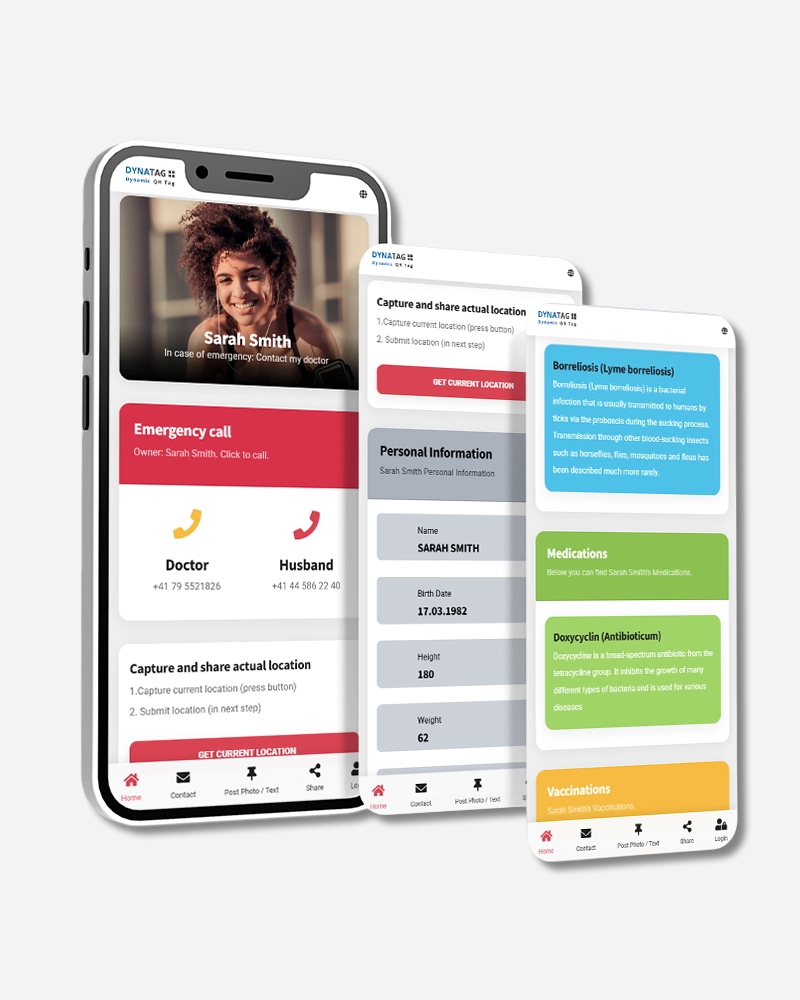
The online user manual and FAQs for the emergency cards with additional SkimGuard function can be accessed at any time directly via the main menu of the web app.
Alternatively, the user manual can also be accessed via the button below:
Make it easier to access your data without having to scan the QR code every time and save your QR code directly on your smartphone.
Android: smartphone & tablet (Chrome browser)
Select
‘Add to Home screen’ from the browser menu. Enter a custom name and complete the process by tapping ‘Add’. An icon will be created on your home screen. Similar to a native app, you can now access your QR code online at any time with a single tap.
Apple: iPhone & iPad (Safari browser)
In the browser menu
next to the address bar, tap the icon with the upward arrow and select ‘Add to Home Screen’. You can then choose a suitable name and finish the process by tapping ‘Add’. This will install a shortcut icon on your home screen.

Protect the printed or engraved QR code from mechanical impacts such as knocks, scratches, or abrasion. Avoid contact with chemical substances and prolonged exposure to strong sunlight. If necessary, the item can be cleaned using lukewarm water, mild soap, and a soft brush with light pressure.
Not suitable for machine washing.
If the QR code should nevertheless become unreadable, no data will be lost! All information is securely stored in a Swiss data center and can be reconnected to a new DynaTag product at any time. In addition, the data can always be accessed and updated in your DynaTag or Thync.it customer account.
There is currently no specific video available for this SkimGuard card.
Instead, you can find here a video about the higher-level product family “Personal Products” from DynaTag.
No spare parts are available for this SkimGuard card, as the card consists of a single piece.
However, you can order a new card or another information wristband from our range and transfer the existing data.
For more information, visit our blog or follow us on social media.
The card blocks unwanted contactless withdrawals from your bank and credit cards. In addition, an integrated QR code enables quick identification or contact in case of an emergency.
No. The SkimGuard card works completely without electronics or batteries and requires no maintenance.
Simply place the card in your wallet or handbag together with your bank or credit cards. Protection is active immediately.
Yes. Each SkimGuard card is equipped with an individual QR code that enables a secure SOS and contact function.
Yes. Through your user account in the WebApp you can update your contact details, emergency information, or health data at any time.
No. There are no monthly fees or additional charges.
| Material | PVC – Polyvinyl chloride |
|---|---|
| Storage Capacity | 10MB |
| Storage Time | 5 Years |
| WebApp-Version | SOS |
| Brand | Thync.it |
| Article number / SKU | TPCA-0003A1 |
| EAN Code | 4270000462474 |
Your review appreciation cannot be sent
Report comment
Report sent
Your report cannot be sent
Write your review
Review sent
Your review cannot be sent